A free, open-source image editor for compositing and photo work, ported to iPad from Compositor for the Mac: layers, masks and clipping, adjustment layers, filters and layer effects on the GPU, the Mac’s tools on touch and Apple Pencil with pressure, the same .comp projects on both, on any iPad that runs iPadOS 26.
Ver 2.0 - Pencil pressure sensitivity
From the first stroke, a light touch paints a thinner line and a firm one the full Size. Tap the Opacity label to let pressure set the opacity too, and the Size label to turn it off; they’re purple while pressure sets them. The toolbar’s Pencil button switches between Pressure Sensitivity, Pencil and Finger Touch, so a Pencil that doesn’t report pressure, or a finger, still paints. Apple Pencil (1st and 2nd generation) and Apple Pencil Pro report pressure; Apple Pencil (USB-C) doesn’t.
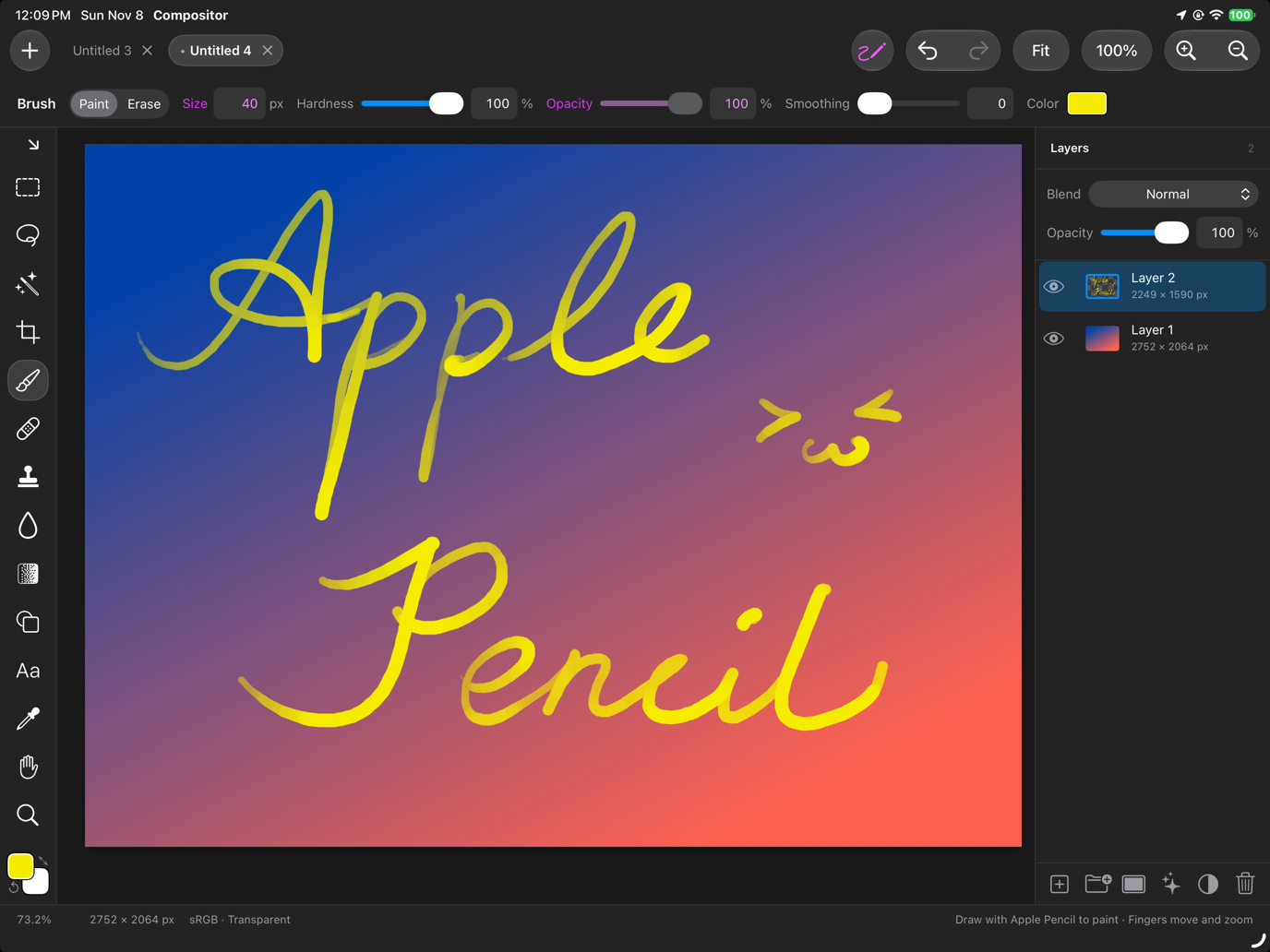 |
 |
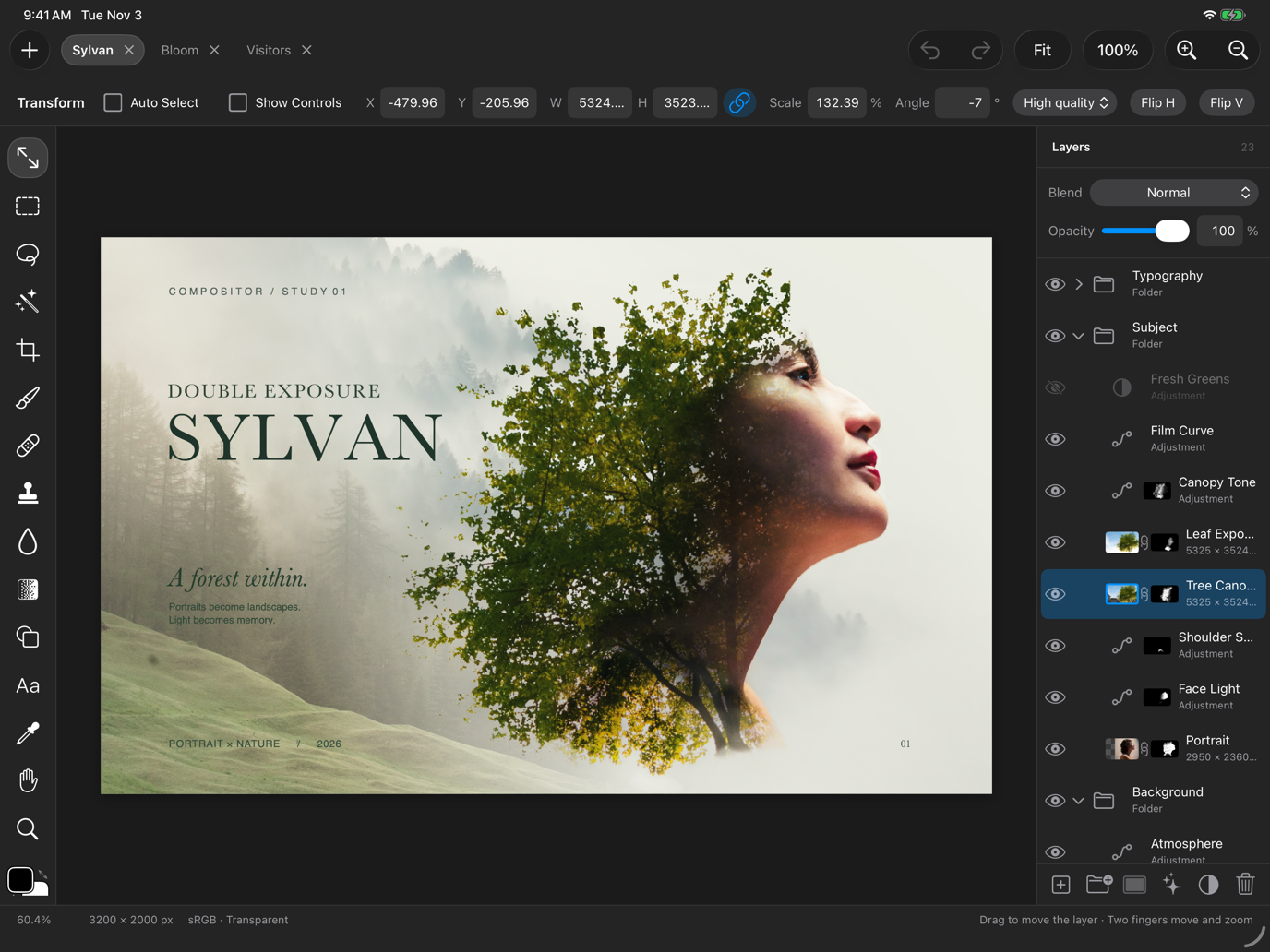
The Mac’s photo editor, now on iPad
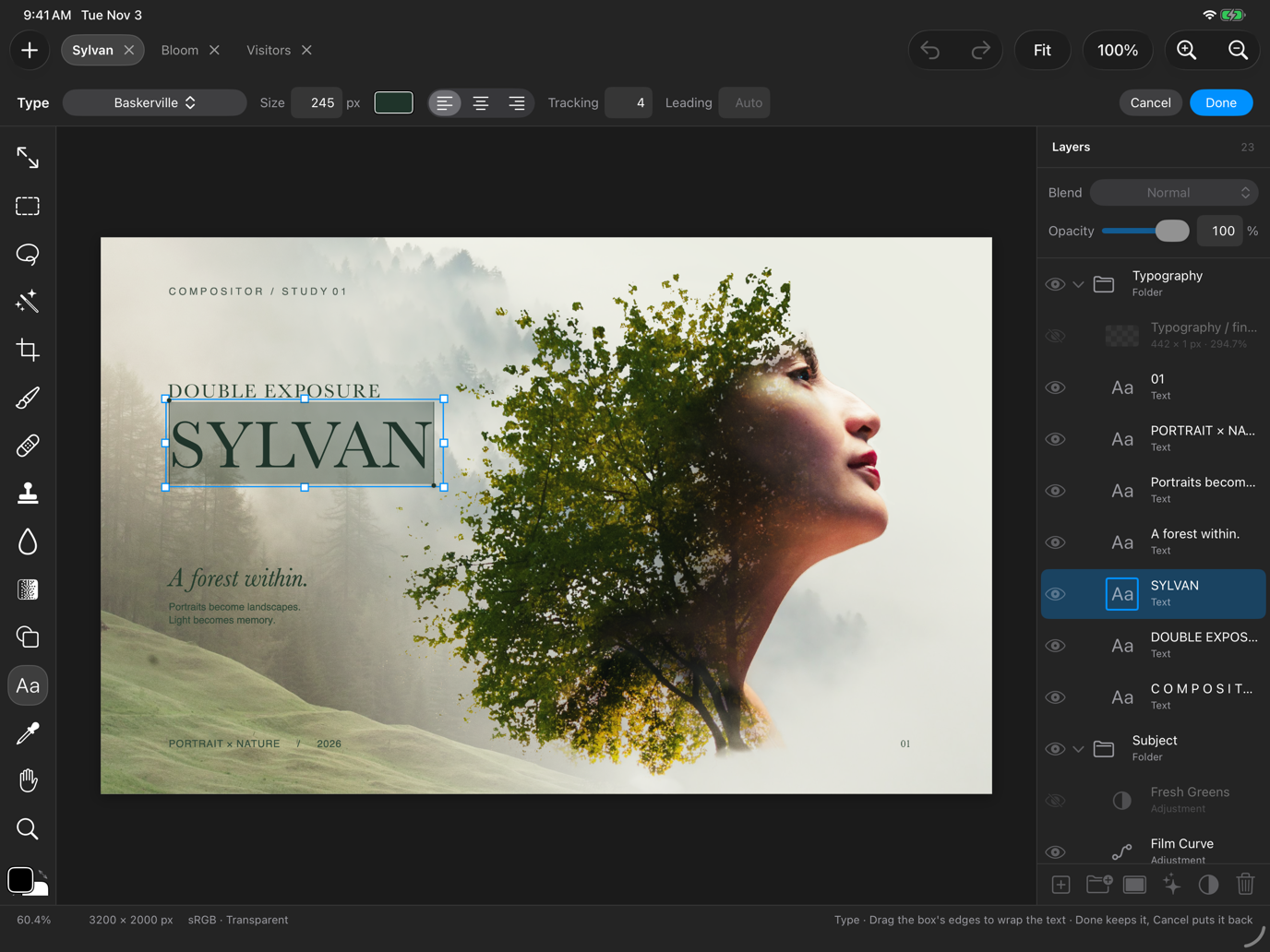
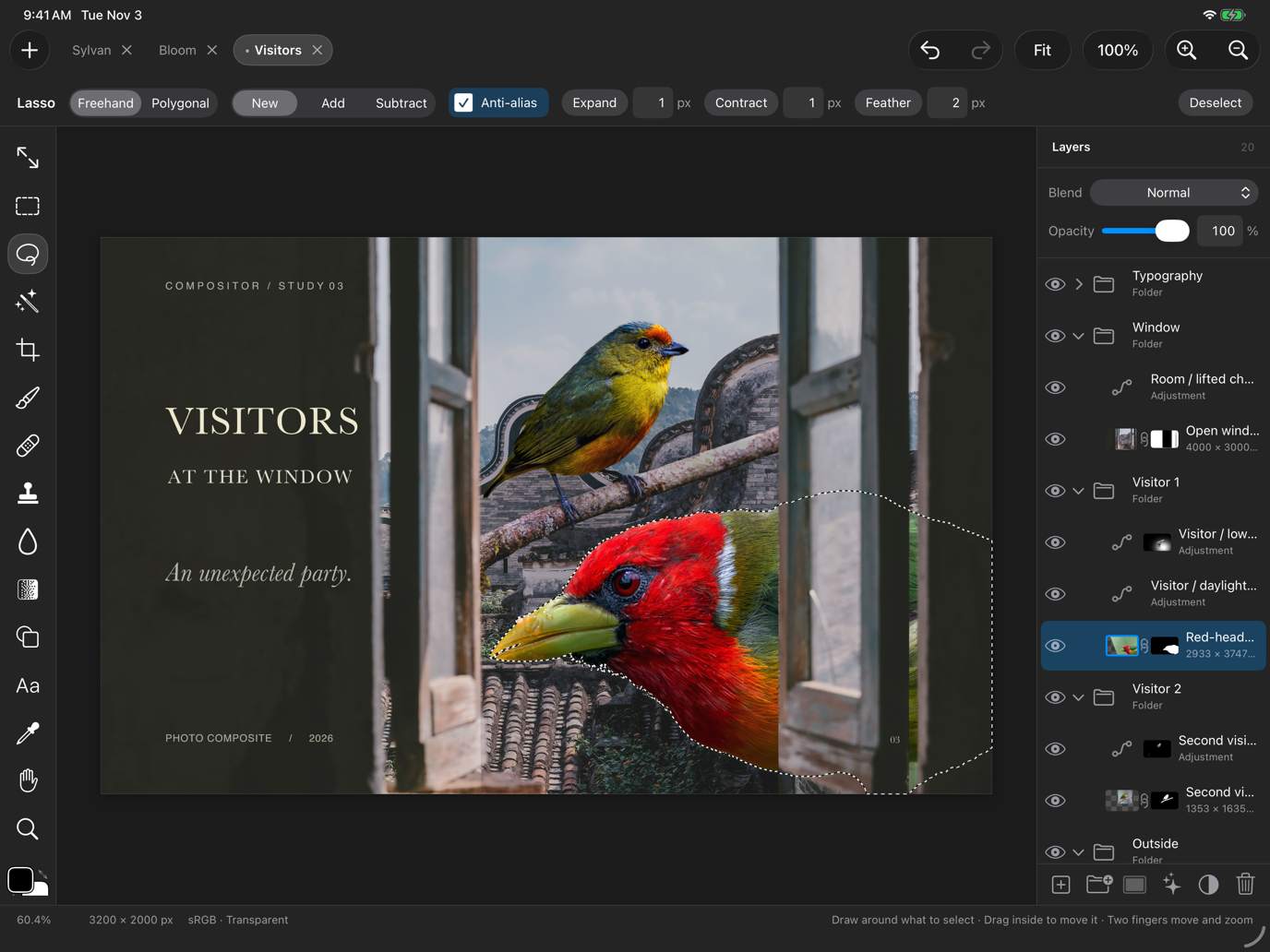
Every tool of the Mac app works by touch: Move with the transform box, Marquee, Lasso and Magic selection, Crop, Brush and Eraser, Gradient, Shape, Type, Spot Healing and Clone Stamp. Apple Pencil paints with pressure, and a finger can too. Two fingers move and zoom the canvas; three fingers undo and redo. With a hardware keyboard you get the Mac’s menu bar and its shortcuts.
 |
Adjustments, filters and layer effects
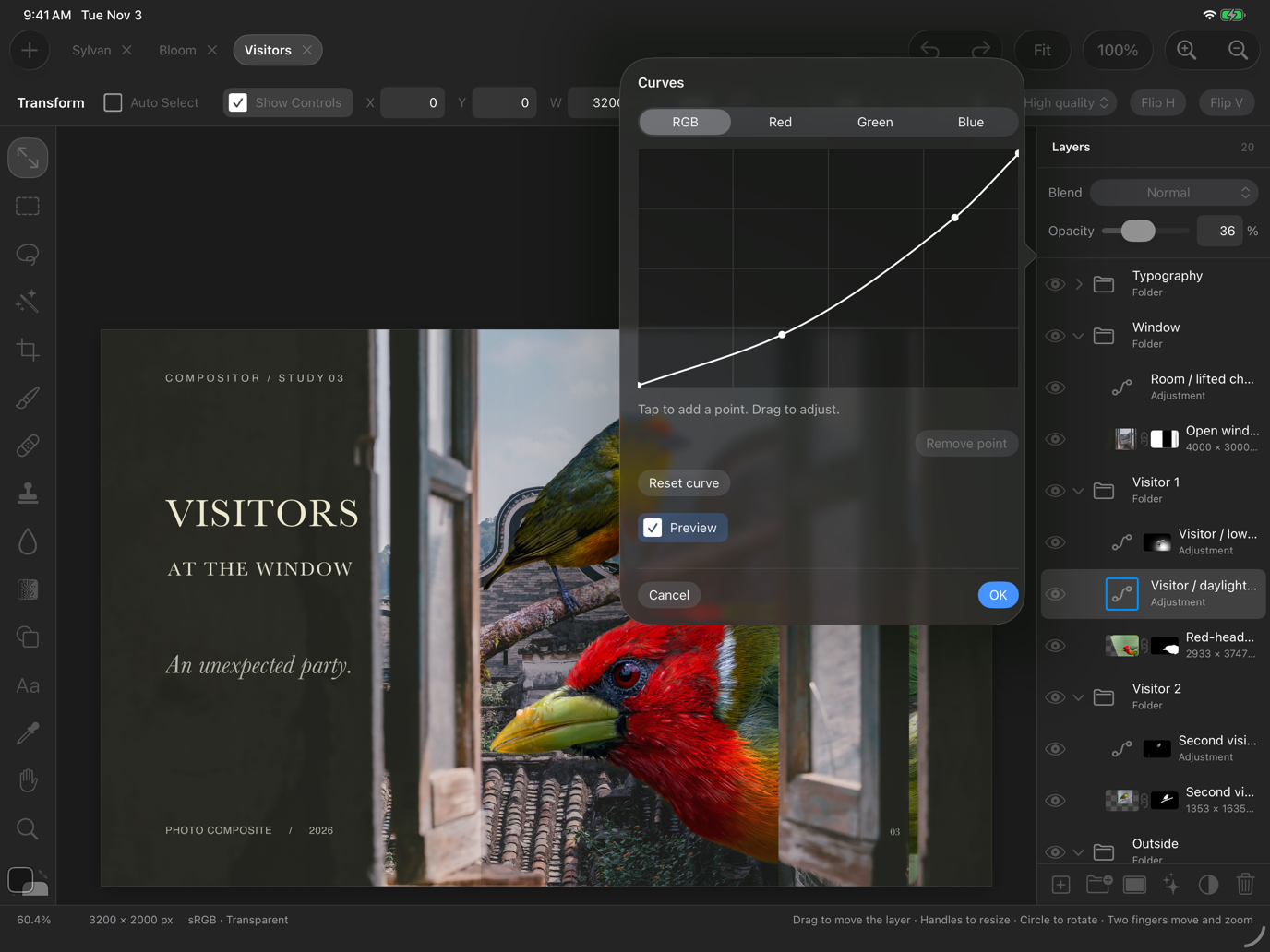
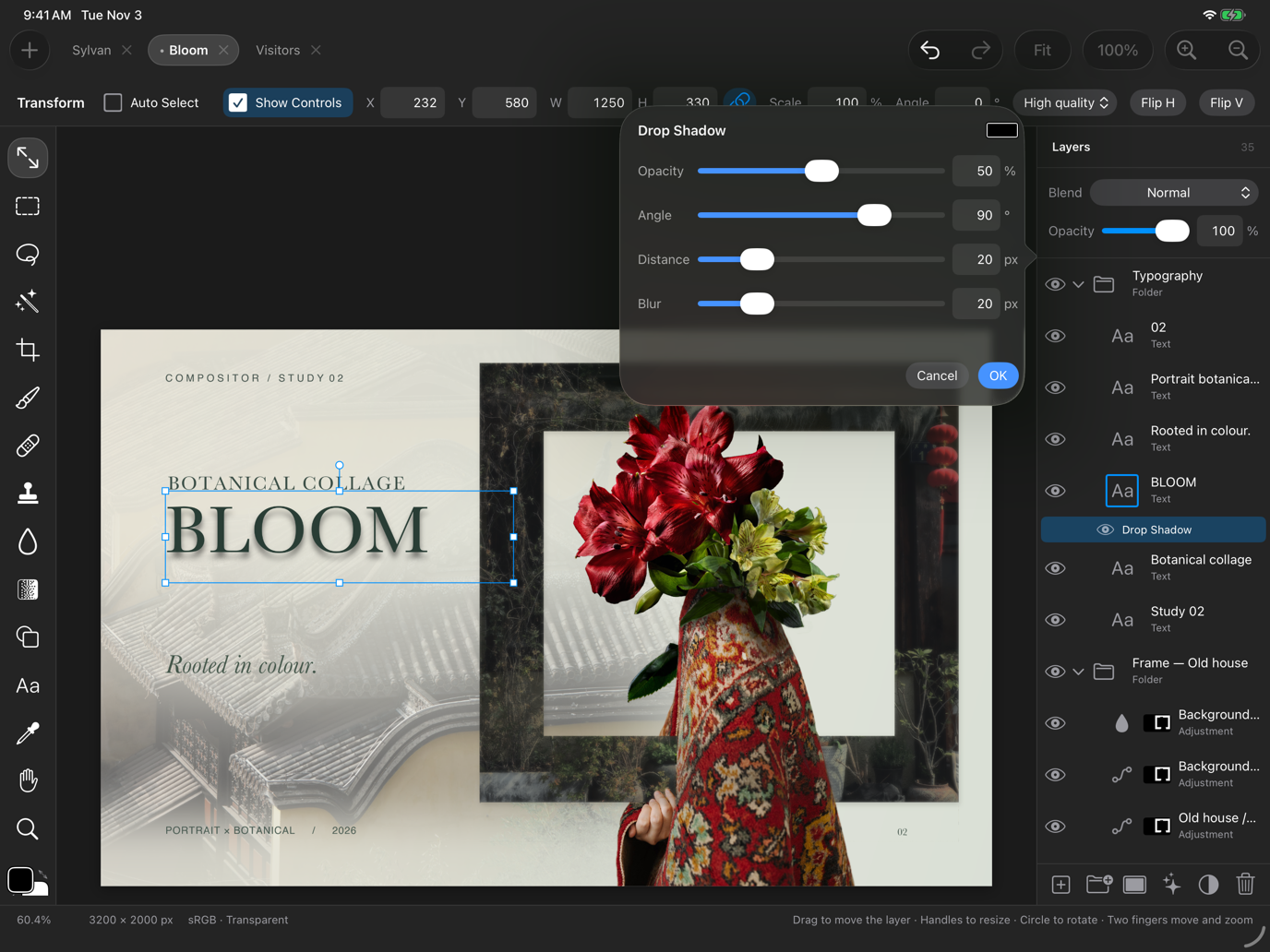
Levels, Curves, Hue/Saturation, Exposure, Color Balance, Black & White, Gradient Map and more, as adjustment layers or applied to a layer’s pixels. Filters from Gaussian and Motion Blur to Dither and Content-Aware Fill. Layer effects, Stroke, Drop Shadow, Color Overlay, Inner Shadow, Outer Glow and Inner Glow, rendered on the GPU and editable any time.
 |
 |
Type, selections and masks
Editable text with the Mac’s fonts, selections that become masks, masks you paint on the canvas, folders with masks of their own.
 |
 |
The same files as the Mac
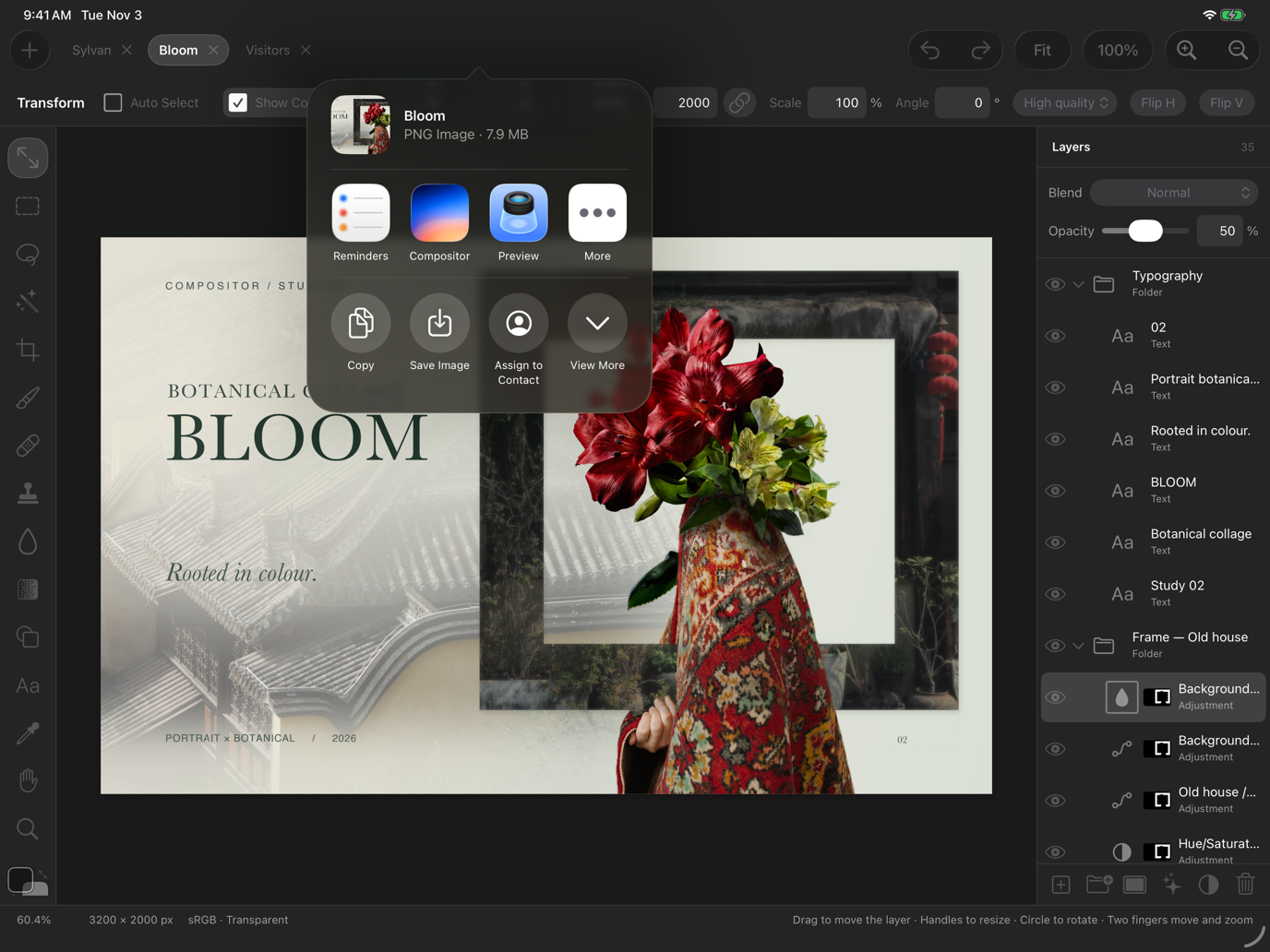
A project is a .comp package, read and written by the same code as the Mac app’s, so one made on either opens on the other, through iCloud Drive or Files. Photoshop files (PSD and PSB), camera RAW, HEIF, WebP, 16-bit and HDR images open as layers. Exports go to Files, to Photos or to the share sheet as PNG or JPEG.
 |
Any iPad on iPadOS 26
It runs on every iPad that runs iPadOS 26, including the A12 ones that other editors have left behind; the screenshots and the recording below were made on an iPad Air 3.
Sample projects
Three editable composites, 3200 × 2000 px with their sources, masks, adjustments and text embedded, are at compositor-samples. Download a .comp and open it from Files.
Open source
Compositor is Robbie Tilton’s free and open-source image editor for the Mac, under the MIT license. The iPad app is an unofficial port, built from my fork (branch ipados): the Mac’s document model, file formats and renderers unchanged, with an interface of its own in UIKit. It is not made or supported by the original author; please report issues to the fork.
Download
- Privacy Policy
- Support
- Developed by Naco Siren